





| Online english Games | ||||
|---|---|---|---|---|
 Volleyball Typing Game Volleyball Typing Game  Plays: 4089 Category: Education type the correct word to play the volleyball,Higher levels get progressively more challenging. Have Fun! 1.Improve Typing Speed; 2.Improve the response speed of brain; 3.Learning English; |  Bite Fruit Game Bite Fruit GamePlays: 4080 Category: Action Bite fruit and drop them to garbage can,see more help info in game. | |||
 Guns and Monocles Game Guns and Monocles GamePlays: 4058 Category: Action Tile based 2D shooter, spanning over 50 levels and utilizing 10 different weapons. Control a lone English gentleman as he takes out an entire terrorist organization. |  Paul the Octopus (english) Game Paul the Octopus (english) GamePlays: 3994 Category: Puzzles Paul the famous octopus will guess the number that you think of. Do the simple Math and see how Paul guesses every single time. | |||
 Lion Typing Game Lion Typing GamePlays: 3979 Category: Education a funny typing game!typing as possible as you can To avoid be eat by the lion.Type out the correct spelling of each word. Higher levels get progressively more difficult. Good luck! more games on http://TimeAndGame.com |  Goo Bob Game Goo Bob GamePlays: 3974 Category: Adventure Goo Bob was carried away while walking and found himself far away from home. Help Goo Bob to get back. Languages: English, Spanish, German, Russian, French | |||
 Piano Typing Game Piano Typing GamePlays: 3967 Category: Education a funny rhythm typing game!Type out the correct spelling of each word in order to destroy them. Higher levels get progressively more difficult. Good luck! more games on http://TimeAndGame.com |  HangMan Plus Game HangMan Plus GamePlays: 3957 Category: Puzzles Ok players, you have one job to do. You have to save a little man of dying in different situations. You must use your brain, and try to guess a word, object, movie or person. You must save him!!! | |||
 .dRuplex Game .dRuplex GamePlays: 3949 Category: Puzzles A simple Tetris-Clone-Game with the latest Flash graphics and the chance for three Mochigames-trophies. - - At the end of the game your score is automatically entered into the leaderboard, do not forget to indicate your name on the left side |  Dune Tank Game Dune Tank GamePlays: 3942 Category: Action Dune Tank is a cool tank shooting and driving game. Drive with this tank and destroy everything on your path. Shoot (spacebar) and destroy cars or crush them by driving over them. Collect stars to score bonus points. Finish the levels as quickly as you can. There are 10 levels waiting for you. | |||
 Gubble Bummer {Ben 10 themed} Game Gubble Bummer {Ben 10 themed} GamePlays: 3940 Category: Puzzles use arrow keys to play this ben10 themed pinball game |  Animal Kingdom Game Animal Kingdom GamePlays: 3933 Category: Education A hidden word game to build your English vocabulary from basic words to more specialized terms. This word search game is a good exercise for speed reading and accurate spelling. Attain a higher level of literacy and become more articulate as you memorize both common and complex words. | |||
 Cake Makers Wanted Game Cake Makers Wanted GamePlays: 3929 Category: Action (Español abajo) English ====== Make the requested cakes as fast as you can, then try to get the best mark in the world Español ====== Haz llos pasteles que se te pidan tan rapido como puedas, luego trata de conseguir la mejor puntuacion del mundo |  Santa Claus New Year Escape - 2013 Game Santa Claus New Year Escape - 2013 GamePlays: 3917 Category: Action GameNovel - New year escape game series now starting to publish. | |||
 The Apothecary's cellar Game The Apothecary's cellar GamePlays: 3907 Category: Education Build your vocabulary with this etymology (word formation) trivia game! Get to know the most common Latin and Greek prefixes and suffixes in the English language. Learn new words with their definition, identify their roots and their meaning to be more articulate in English, more accurate in your choice of words, and to improve your writing skills and spelling. |  Demi Tuhan Wars Game Demi Tuhan Wars GamePlays: 3898 Category: Action "Demi Tuhan" is "for GOD's SAKE!" in english, this word was booming in indonesia now. just google or youtube it.. :D | |||
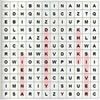 Find Words Game Find Words GamePlays: 3891 Category: Education Find the given words on a 12x12 word grid. |  Guess What Game Guess What GamePlays: 3889 Category: BoardGame You need to find correct words with less than 10 mistakes. Each time you find a right character, it will appear on it's place. Every character found gives you +1 point, while each mistake costs you -1. Also, every word found gives you bonus poits depending on number of characters in it. | |||
 One Path Game Game One Path Game GamePlays: 3888 Category: Puzzles Classic one path game.you can click one node some times,but any path just pass one time. |  ASD Piano Maestro Compositor Game ASD Piano Maestro Compositor GamePlays: 3886 Category: Education ESPAÑOL (English bellow) ======= El ASD Piano es un dispositivo creado por I2 Interactive y vendido ampliamente por todo el mundo. Aqui puedes divertirte jugando con el. Tiene 7 teclas que se corresponden con las 7 notas y puedes tocarlas presionando la tecla correspondiente en tu teclado A-S-D-F-G-H-J En este juego tiene 3 modos para pasar un buen rato con el ASD Piano TM. Free Mode: Aqui puedes jugar como quieras, presionando las teclas como desees. Haz click en el boton Back para regresar a la pantalla de titulo. Memory: Oiras una corta melodia y despues deberas tocarla de nuevo, muchas cortas melodias iran apareciendo y una vez que las toques correctamente puedes enviar tus puntos a la tabla de Hi-Score Composer: Puedes componer tus propias piezas originales!! y compartirlas con tus amigos, muestra al mundo el talento que tienes!! En la pantalla del Composer presiona el boton "REC" para empezar a crear tu composicion, toca las teclas como prefieras y sientas de la mejor manera, puedes tocar varias notas a la vez y conseguir increibles resultados. Cuando sientas que esta terminada dale al boton de "STOP" para detener la grabacion. Puedes ajustar la velocidad de la pieza variando el valor dado abajo a la izquierda y tambien puedes añadir una musica de fondo como acompañamiento seleccionandola de la lista de Tunes disponibles de 1 a 6. Puedes tu pieza original dandole a "PLAY", haz click en "STOP" para detenerla en cualquier punto, con la cabeza lectora (flecha verde) parada puedes hacer click en cualquier parte del pentagrama, la cabeza lectora ira alli, tocando cualquier nota ahi modificara esa parte, puedes hacer click en "ERASE PART" para borrar solo esa parte. Si haces click en "ERASE ALL" se borrara toda la composicion asi que ten cuidado, tambien haciendo click en "Back" se borrara toda la composicion asi que salva antes de salir. Para salvar tu composicion debes hacer click en "SAVE" y luego, en un cuadro blanco situado abajo, haz click con el boton derecho del raton, y en el menu que sale haz click en "Seleccionar todo" luego haz click de nuevo con el boton derecho y selecciona "Copiar" ahora abre tu Bloc de Notas de Windows, ve a "Inicio", luego en "Todos los programas" y despues en "Accesorios", luego haz click en "Bloc de Notas", una vez que se abra, en el menu "Edicion" selecciona "Pegar", luego haz click en "Archivo" y "Guardar" para guardarlo donde quieras. Para cargar tu pieza o la de tus amigos primero de todo selecciona toda la composicion que tu has recivido (comienza y termina con un numero), luego haz click con el boton derecho en ella y elige "Copiar", luego en el ASD Piano, una vez que estes en el modo Composer, haz click con el boton derecho en el cuadro blanco de abajo y elige "Pegar" luego haz click en el boton "LOAD" y ya puedes hacer click en "PLAY" para escucharla o puedes editarla para añadir tus modificaciones. Puedes tambien hacer click en las canciones prefabricadas "Premade" para cargar una de las 5 melodias disponibles, haciendo esto cargara la cancion entera asi que asegurate de salvar tu composicion antes, mira lo que nuestro talentoso equipo ha hecho y aprende a la vez. ENGLISH ============= The ASD Piano is a device made by I2 Interactive and sold widely everywhere. Here you can have fun playing with it. It has 7 keys that correspond to the 7 notes and you can play them by pressing the corresponding keys on your Keyboard A-S-D-F-G-H-J In this game you have 3 modes to have your fun time with the ASD Piano TM. Free Mode: Here you can play as you like, pressing the keys as you wish, click the Back button to go to tittle screen. Memory: You will hear a short melody and then you have to play it again, many short melodies will pop and after succesfully playing them you can submit your score to the Hi-Score table. Composer: You can compose your own original pieces!! and share with your friends, show the world the talent you have!! In the composer screen press the "REC" button to start making your composition, play the keys that you wish and feel the best, you can play several keys at the same time and get awesome results. When you feel its finished hit the "STOP" button to finish the recording, You can adjust your piece speed altering the value given at the bottom left and also you can add a background loop to acompany it selecting from the available tunes from 1 to 6. You can hear your original piece clicking the "PLAY" button, click "STOP" to halt it at any point, with the playhead stopped you can click on any part of your pentagram, the playhead will go there, and playing any keys there will modify that part, you can click on "ERASE PART" to delete the notes on that part. If you click "ERASE ALL" the whole piece will be deleted so be careful, also clicking "Back" will delete the piece so save first. To save it you have to click the "SAVE" button and then, there is a white square at the bottom, right click on it and on the menu click "Select all" then right click again and on the menu click on "Copy" then open your Windows Notepad, go to START then ALL PROGRAMS and then ACCESORIES, then click on Notepad and there select Edit menu and Paste, then click on File and Save to save it anywhere you like. To load your piece or your friends compositions first of all select the whole composition that you have received (starts and ends with a number), then right click on it and select Copy, then in the ASD Piano, once in the Composer mode right click on the white square at the bottom and select Paste then click on the "LOAD" button and now you can click on "PLAY" to listen to it, or you can edit that to add your own modifications. You can also click on the premade songs to load them, doing that will load the entire song so be sure to save your work first, see what our talented team has made and learn from there. | |||
<<< Previous First 3 4 5 6 7 8 9 10 11 12 13 Last Next >>>

|