





| Online score Games | ||||
|---|---|---|---|---|
 Android Match 3 Game Android Match 3 Game  Plays: 3833 Category: BoardGame Android Match 3 is a fun paired cards game. match up the picture pairs together in the least amount of guesses possible to gain the top score. Brought to you by OnlineFreeMiniGames.com |  CrashBoard Game CrashBoard GamePlays: 3832 Category: Action Skate your way through 25 levels in this skateboarding game and destroy at least 50% of all bricks on each level! Collect stars to increase your score! | |||
 Christmas Candy Canes Game Christmas Candy Canes GamePlays: 3831 Category: Puzzles Explore rooms and search for 30 Christmas candy canes, solve all puzzles to get them all, then escape. Try to find all candy canes as fast as you can to receive better score. Good Luck! |  Dj Fest 2 Game Dj Fest 2 GamePlays: 3828 Category: Other Try to be the best DJ on the wheel, hitting the highest scratching score. Choose between two hot DJs and just follow the beat. Try to stay in the middle of the wave to hit bonus points. Have fun scratching yo! | |||
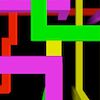 Trail Runner Game Trail Runner GamePlays: 3827 Category: Action Trail Runner. A Retro 3D light-cycle game There’s no getting away from it. Trail Runner was inspired by ‘Knot in 3D’, a game written by Malcolm Evans back in 1983 for the ZX Spectrum. Happy Days Use the arrow keys to fly your ship in a wrap-around cube of space. You must avoid all the trails, including your own - the yellow one. Collisions affect your shield, when your shield strength reaches zero, it is game over. Your score increases in proportion to the increase in space density. Or just sit back and watch the demo. | 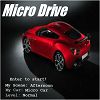 Micro Drive Game Micro Drive GamePlays: 3827 Category: Driving Drive a micro car in a road full of vehicles and avoid getting crashed into them, on the way, collect many fuel tanks and energy cells to gather points. Collect orbs and fuel tanks in a specific order to score combos. Race for the highest score The artwork at the title is a picture of a statue by Erwin Wurm, located in one of his famous galleries. | |||
 Martian Mayhem Game Martian Mayhem GamePlays: 3826 Category: Action Warning: Game contains flashing Images. Fight off different spaceships out to get you. Obliterate wave after wave and see if you can finish the game, I couldn't ;) . |  Ninja Block Bluster Game Ninja Block Bluster GamePlays: 3825 Category: Action Run... Jump... Catch the ball... Destroy red blocks, save your green blocks, kill all the enemies and collect items... This is the way of the ninja through the Block Blust!! A new game that drives you crazy to reach the highest score! Who will be the first? | |||
 Aboe Heart Pluck Game Aboe Heart Pluck GamePlays: 3825 Category: Adventure Control Aboe to collect all the heart in this simple puzzle platform game. Don't run out of time and avoid all obstacle and get for the highest score. |  Abonny Chase Game Abonny Chase GamePlays: 3825 Category: Action Abonny is on a mission to kill wolf gang that escape from jail. Chase, run and shoot them on 3 different mission when you can unlock dozen of weapons and compete for highest score. | |||
 Simple Addition math game Game Simple Addition math game GamePlays: 3822 Category: Education Simple Addition math game: add the numbers, as many times as you can in a minute |  ASD Piano Maestro Compositor Game ASD Piano Maestro Compositor GamePlays: 3820 Category: Education ESPAÑOL (English bellow) ======= El ASD Piano es un dispositivo creado por I2 Interactive y vendido ampliamente por todo el mundo. Aqui puedes divertirte jugando con el. Tiene 7 teclas que se corresponden con las 7 notas y puedes tocarlas presionando la tecla correspondiente en tu teclado A-S-D-F-G-H-J En este juego tiene 3 modos para pasar un buen rato con el ASD Piano TM. Free Mode: Aqui puedes jugar como quieras, presionando las teclas como desees. Haz click en el boton Back para regresar a la pantalla de titulo. Memory: Oiras una corta melodia y despues deberas tocarla de nuevo, muchas cortas melodias iran apareciendo y una vez que las toques correctamente puedes enviar tus puntos a la tabla de Hi-Score Composer: Puedes componer tus propias piezas originales!! y compartirlas con tus amigos, muestra al mundo el talento que tienes!! En la pantalla del Composer presiona el boton "REC" para empezar a crear tu composicion, toca las teclas como prefieras y sientas de la mejor manera, puedes tocar varias notas a la vez y conseguir increibles resultados. Cuando sientas que esta terminada dale al boton de "STOP" para detener la grabacion. Puedes ajustar la velocidad de la pieza variando el valor dado abajo a la izquierda y tambien puedes añadir una musica de fondo como acompañamiento seleccionandola de la lista de Tunes disponibles de 1 a 6. Puedes tu pieza original dandole a "PLAY", haz click en "STOP" para detenerla en cualquier punto, con la cabeza lectora (flecha verde) parada puedes hacer click en cualquier parte del pentagrama, la cabeza lectora ira alli, tocando cualquier nota ahi modificara esa parte, puedes hacer click en "ERASE PART" para borrar solo esa parte. Si haces click en "ERASE ALL" se borrara toda la composicion asi que ten cuidado, tambien haciendo click en "Back" se borrara toda la composicion asi que salva antes de salir. Para salvar tu composicion debes hacer click en "SAVE" y luego, en un cuadro blanco situado abajo, haz click con el boton derecho del raton, y en el menu que sale haz click en "Seleccionar todo" luego haz click de nuevo con el boton derecho y selecciona "Copiar" ahora abre tu Bloc de Notas de Windows, ve a "Inicio", luego en "Todos los programas" y despues en "Accesorios", luego haz click en "Bloc de Notas", una vez que se abra, en el menu "Edicion" selecciona "Pegar", luego haz click en "Archivo" y "Guardar" para guardarlo donde quieras. Para cargar tu pieza o la de tus amigos primero de todo selecciona toda la composicion que tu has recivido (comienza y termina con un numero), luego haz click con el boton derecho en ella y elige "Copiar", luego en el ASD Piano, una vez que estes en el modo Composer, haz click con el boton derecho en el cuadro blanco de abajo y elige "Pegar" luego haz click en el boton "LOAD" y ya puedes hacer click en "PLAY" para escucharla o puedes editarla para añadir tus modificaciones. Puedes tambien hacer click en las canciones prefabricadas "Premade" para cargar una de las 5 melodias disponibles, haciendo esto cargara la cancion entera asi que asegurate de salvar tu composicion antes, mira lo que nuestro talentoso equipo ha hecho y aprende a la vez. ENGLISH ============= The ASD Piano is a device made by I2 Interactive and sold widely everywhere. Here you can have fun playing with it. It has 7 keys that correspond to the 7 notes and you can play them by pressing the corresponding keys on your Keyboard A-S-D-F-G-H-J In this game you have 3 modes to have your fun time with the ASD Piano TM. Free Mode: Here you can play as you like, pressing the keys as you wish, click the Back button to go to tittle screen. Memory: You will hear a short melody and then you have to play it again, many short melodies will pop and after succesfully playing them you can submit your score to the Hi-Score table. Composer: You can compose your own original pieces!! and share with your friends, show the world the talent you have!! In the composer screen press the "REC" button to start making your composition, play the keys that you wish and feel the best, you can play several keys at the same time and get awesome results. When you feel its finished hit the "STOP" button to finish the recording, You can adjust your piece speed altering the value given at the bottom left and also you can add a background loop to acompany it selecting from the available tunes from 1 to 6. You can hear your original piece clicking the "PLAY" button, click "STOP" to halt it at any point, with the playhead stopped you can click on any part of your pentagram, the playhead will go there, and playing any keys there will modify that part, you can click on "ERASE PART" to delete the notes on that part. If you click "ERASE ALL" the whole piece will be deleted so be careful, also clicking "Back" will delete the piece so save first. To save it you have to click the "SAVE" button and then, there is a white square at the bottom, right click on it and on the menu click "Select all" then right click again and on the menu click on "Copy" then open your Windows Notepad, go to START then ALL PROGRAMS and then ACCESORIES, then click on Notepad and there select Edit menu and Paste, then click on File and Save to save it anywhere you like. To load your piece or your friends compositions first of all select the whole composition that you have received (starts and ends with a number), then right click on it and select Copy, then in the ASD Piano, once in the Composer mode right click on the white square at the bottom and select Paste then click on the "LOAD" button and now you can click on "PLAY" to listen to it, or you can edit that to add your own modifications. You can also click on the premade songs to load them, doing that will load the entire song so be sure to save your work first, see what our talented team has made and learn from there. | |||
 The Y Quiz Game The Y Quiz GamePlays: 3819 Category: Puzzles Speed Your Way Through All The Random True Questions In Hopes Of Getting The Top Score. |  Orb Drop Game Orb Drop GamePlays: 3818 Category: Education Use the mouse to choose which column to drop your orb into, but be careful to predict what will happen because your drop may set off a chain reaction. Try to destroy as many orbs as possible in order to achieve the highest score possible, but do not let your stacks creep to high because if they go off the top of the board, it's Game Over. If you lose it is not the end of the world; feel free to submit your score to our custom leader board and then try again. | |||
 2Football Game 2Football GamePlays: 3817 Category: Action 2-Players Football(soccer): Choose your player (left or right); hit the ball to score the goal. Win the game in time 5 minutes. |  PopcornRush Game PopcornRush GamePlays: 3814 Category: Action A fast action game from MunsieGames! Swipe your mouse over the hot kernals to pop them into popcorn! Swipe several at a time (and then release your mouse!) to score combos. Swipe the Jalepenos to trigger bonus items like double points, chillin' and the ever so hot, Rush Mode! | |||
 Shoot The Smileys Game Shoot The Smileys GamePlays: 3812 Category: Action Explosions, Random Smileys, Unlimited Levels, and Non-Stop Fun? Yea That's This Game :D 100% pure fun fast easy casual game. Shoot the Smileys before they reach the left side of the screen or you lose a life and your current streak. However how high can you score and rank up against the WORLD?! Yea, well let's see. |  Is he a cheater Game Is he a cheater GamePlays: 3812 Category: BoardGame See if your guys is a cheater, the higher you score the more chance he is cheating Fun Quiz | |||
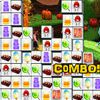 Candy Tiles Game Candy Tiles GamePlays: 3812 Category: BoardGame Click on matching tiles of delicious candy icons. Play the 3 levels, score big and reveal funny graphics in each level. | 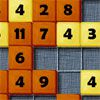 MadNumbers Game MadNumbers GamePlays: 3811 Category: Puzzles Interesting logical game with numbers. Try yourself against computer, score more points to win. | |||
<<< Previous First 95 96 97 98 99 100 101 102 103 104 105 Last Next >>>

|