






| Online bin Games | ||||
|---|---|---|---|---|
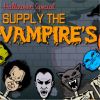 Supply the Vampires Game Supply the Vampires Game  Plays: 2989 Category: Action Serve the customers vampires needs. Have the meat cooked and ready to server them. The meat should not be over burnt, if so throw it in the waste bin. Serve as many and earn points to complete all the levels to win the game. |  Paper Play Game Paper Play GamePlays: 2955 Category: Adventure An awesome game to test the concentration levels and one of the best games to pass the time. Filled with 12 stunning levels. Toss your crumbled paper into to trash can. Every time you kake it in a new amount of wind comes. Complete all levels as fast as possible to beat the friends. | |||
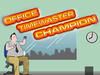 Office Time Wasting Champion Game Office Time Wasting Champion GamePlays: 2854 Category: Shooting Have you got the skills to toss the paper ball into the bin for every working hour of the day? Let's find out... | 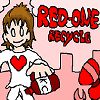 Red-One Recycle Game Red-One Recycle GamePlays: 2685 Category: Action I must recycle all bottles in my city, it is my duty, but there is one slight problem: The red one aliens invaded and are after everyone who try to recycle the bottles... They just need it for their destructive project in order to take over viper-city! I must collect every bottle on each stage and throw it to the recycle bin where the red-one aliens cannot be able to place their claws on... And if I am percise enough with my throws I could defend myself against the aliens as well! | |||
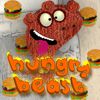 Hungry Beast Game Hungry Beast GamePlays: 2677 Category: Other The Hungry Beast is really, what else... hungry! Eating is his pleasure! Help him by making some burgers using the ingredients it gathers on its plate! Have a tasty time! |  Easter Egg Designer Game Easter Egg Designer GamePlays: 2322 Category: Customize Showcase your creativity and unleash your aesthetic sense by designing your own Easter egg with a beautiful assortment of patterns, shapes and colors! The game opens with a plain Easter egg on the left of the screen, while the available patterns are located at the top right corner, and different types of shapes are placed below the patterns. To apply a pattern, simply click the left or right arrow button next to the pattern samples. The selected sample will be enlarged and shown in the middle of the five boxes, while the pattern itself will be automatically applied to the Easter egg. You may repeat these steps to modify the pattern. To select a type of shape, click the left and right arrow buttons next to the shape samples. The available shapes of the chosen type will be displayed under the sample boxes, for example, when you have selected the snowflake, three available shapes of snowflake will appear under the sample boxes. Click to select any shape you like, then drag and paste it onto the Easter egg. You may click the shape again to adjust its size by using the scroll wheel on your mouse or the + and - keys on your numpad: scroll up or press the + key to enlarge the shape, and scroll down or press the - key to reduce the size. You may also rotate the shape by pressing the left and right arrow keys on your keyboard. If you no longer wish to apply a shape, you can click to select it, then drag and drop it to the bin on the right of the Easter egg. When you have completed the design, click the "Add some color" button at the bottom right corner to proceed to coloring. You will then be given a palette of 35 colors on the right of the Easter egg. To apply a color, simply use the paint brush to select a color, then move to the desired position on the Easter egg. The area will be circled and enlarged so that you can apply the color easily. Click to paint the color, or choose another color if you wish. You may reapply colors to a certain area, or you can click the topmost arrow button on the left of the screen to undo the previous action. If you would like to clear all colors, simply click the Reset button at the bottom of the palette. You may also click the buttons on the left of the screen to save the image, print the outline, print the image in color, or clear all colors and return to the design page. Click the Finish button at the bottom right corner when you have completed all steps, and a score will be given based on the richness of your design and the time you have spent. Come and participate in the unique celebration of Easter! | |||
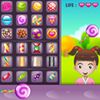 Lollipop Shop Game Lollipop Shop GamePlays: 2138 Category: Other You're running the most popular lollipop stand in a park. Kids started coming to the shop. Identify the desired item of the kids, which gets denoted for each kid. Prepare and serve the Lollipop before the kids' waiting time exceeds. If you have prepared the wrong item, throw it into the trash bin. In each level, try to satisfy maximum kids and get the target points within the given time duration to proceed to tougher levels. Make sure you pick the right candy sticks and lollipop shapes. Enjoy! | 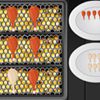 Chicken Fast Fry Game Chicken Fast Fry GamePlays: 2083 Category: Other Fry as many chickens you can and fill the tray before the time runs out. Once the target is filled you go to the next level. Do not over-bake the chickens as it will have to go to the trash bin. Complete all the levels to win the game. | |||
 TriCity Game TriCity GamePlays: 1929 Category: Action In Tricity, you are a super hero who protects the streets from an evil uncivic dude who spends his days throwing garbage from a window. Armed with a magic bouncing bag, you must lead empty bottles to the recycle bin, where they belong. Control one of two characters from left to right with the arrow keys, while your heroic companion (a big weird worm with a cape) tells you facts about recycling and stuff. |  Click Click Click Game Click Click Click GamePlays: 1783 Category: Action Clicking never bin this fun, till now...Click your way to the top. | |||
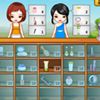 Cosmetics shop Game Cosmetics shop GamePlays: 1697 Category: Other You're running the most popular cosmetics shop in a city. Customers started coming to the shop to buy the most elegant, stylish, and fashion items from the store that you will manage it. Identify the desired item of the customers, which gets denoted for each customer. Your role is to make sure that every customer gets what they want and will leave the shop happily. If you have chosen the wrong item, throw it into the trash bin. In each level, try to satisfy maximum customers and get the target points within the given time duration to proceed to tougher levels. Enjoy! | 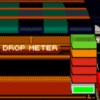 Klax Game Klax GamePlays: 1663 Category: Puzzles Catch the tiles as they reach the end of the belt. Stack them in the tile bin to create lines of 3+ tiles (of the same colour) to make them disappear. The game ends after 5 tiles have been dropped! | |||
 Vibrant Recycling Game Vibrant Recycling GamePlays: 1645 Category: Education Vibrant Recycling is a fun and educational arcade game where the player helps recycling bins collect and recycle waste. Earn bonus point by collecting waste in the air, and don't let the waste float or sink off-screen! If you choose the wrong bin to collect the waste, the bin will be paralyzed temporarily. Properly recycle the most amount of waste to progress in the game. Each level accomplished means a reward of fun facts about recycling and the environment! |  Blue Ocean Game Blue Ocean GamePlays: 1510 Category: Action Click left mouse to help Bi get all bin. Bi must clean this beautiful beach | |||
<<< Previous First -8 -7 -6 -5 -4 -3 -2 -1 0 1 2 Last Next >>>

|