






| Online Back Games | ||||
|---|---|---|---|---|
 Japanese Craps Game Japanese Craps Game  Plays: 6667 Category: Casino As you know the object of Craps is to predict the outcome of a roll of the dice. It is as difficult as to predict somebody's fate. That samurai couldn't predict his fate too he didn't know that he would wander about different countries with the purpose to find something unusual for his emperor. That march was the most tiresome and perilous in his life. He saw many interesting things, which were created by clever and ingenious people, but there was no thing to strike emperor's imagination. After ten years of the searching the emaciated man decided to go home. On his way back he stopped in one house to spend the night. The masters were hospitable and the food was excellent and what attracted the man's attention greatly was the game people played after dinner. That game was absorbing and samurai bought its rules and equipment. After that excellent acquisition, the man was going home in elevated mood when he was tightened in the ring of highway robbers. They took up the swards and the battle began. Our hero left much blood on the earth but all his enemies were beaten! Samurai returned to the emperor's palace as a winner and introduced the game. It made a great impression on the imperator and he was promoted to the rank of commander-in-chief in his army. |  Computer Catapult! Game Computer Catapult! GamePlays: 6666 Category: Action Has your computer or laptop ever let you down? Is the answer yes? Well heres a change for you to get your own back on it! Game made by www.cheesyflashgames.com 2008-2009. | |||
 Jet Pack Man Game Jet Pack Man GamePlays: 6651 Category: Action Jet Pack Man is Stuck on the Moon! Help him launch through space back to Earth |  Bimmin Haunted Night Game Bimmin Haunted Night GamePlays: 6618 Category: Action Bimmin is back with new Halloween outfits! Run through the jungle, jump over obstacles and avoid being eaten by the skeleton T-Rex! | |||
 Wi-chick: The Revenge Of Whooly Game Wi-chick: The Revenge Of Whooly GamePlays: 6582 Category: Action Wi-Chick is back… Now it returns to home planet, and his universal enemy is attackins his homeland… well make him pay, take off your little chicken hands and take your powerful gun-hands, to fire it… |  Beauty Pirate Captain Game Beauty Pirate Captain GamePlays: 6581 Category: Dress-Up Very beauty and sex pirate captain, dress her up then back to the Middle Ages. | |||
 Cage Ball Game Cage Ball GamePlays: 6565 Category: Sports ball bouncing off walls try to hit it back with bar | 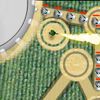 Crop Circles Game Crop Circles GamePlays: 6564 Category: Strategy Aliens have landed and want to eat the farmers' brains! You must defend the barn. Strategically arrange the crop circles to make them follow a path of your choice. Then place your military assets and blast them back to space! | |||
 Neverending Pong Game Neverending Pong GamePlays: 6562 Category: Action Neverending Pong brings back all the emotions of old arcade videogames. Everybody can play this game, but who will be the World Champion? Features: single and multiplayer (same keyboard) games, many characters and game field to choose! |  F1 Racing Game F1 Racing GamePlays: 6554 Category: Shooting F1 Racing comes back with great new featuresrevient dans une toute nouvelle version avec plein de nouveautés : Better graphics Two game modes : Grand prix and Single Race Translation in 3 languages Listen the music in the option mode This game reached the 16th rank of the 2008 flash game creation contest from codes sources / Adobe France | |||
 Word Zapper Game Word Zapper GamePlays: 6553 Category: Education find as many words as you can as you avoid being destroyed! |  Box2D Physics Game Box2D Physics GamePlays: 6550 Category: Other This is a physics game with the Box2D physics engine. It took me about 3 hours to create, and it took a lot of thinking. If the game is too long and it doesn’t show the whole thing, try full screen mode or by pressing F11. To go back to regular size press F11 again or move your mouse cursor to the top of the screen and click the square that’s next to the close button (AKA the giant X). I made this whole thing with the guidance of Emanuele Feronato’s blog. The numbers on the top left are the mouse x and y positions/values. They’re pretty useful. I will try to create levels when I get more experience. | |||
 The Pimps Game The Pimps GamePlays: 6538 Category: Multiplayer Are you a tough guy? Do you know your neighborhood like the back of your hand? Then off to the Bronx: With The Pimps you show everyone in your district who's the boss. Rule the streets, pimp up your life! Choose your district from over 200 US or European cities. Check out the situation: First you need a hot set of wheels. Which are the right rims? Pimp up your gang with the most badass revolvers. Lead them into the Fight of Honor. Weedfarms, coke pushers and your hookers bring the dough home. Pimp up ya life and look forward to some really tough fights. Get into the big business. In your urban street game you are right at the top of the ranks! Who has the broadest shoulders and can deal with anyone who gets in his way? |  pixelBOMB 2 Game pixelBOMB 2 GamePlays: 6524 Category: Action Collect the stars with your mouse, get timestone gems to go back in time and avoid the dark stars. | |||
 ASD Piano Master Composer Game ASD Piano Master Composer GamePlays: 6517 Category: Education ESPAÑOL ABAJO ============= The ASD Piano is a device made by I2 Interactive and sold widely everywhere. Here you can have fun playing with it. It has 7 keys that correspond to the 7 notes and you can play them by pressing the corresponding keys on your Keyboard A-S-D-F-G-H-J In this game you have 3 modes to have your fun time with the ASD Piano TM. Free Mode: Here you can play as you like, pressing the keys as you wish, click the Back button to go to tittle screen. Memory: You will hear a short melody and then you have to play it again, many short melodies will pop and after succesfully playing them you can submit your score to the Hi-Score table. Composer: You can compose your own original pieces!! and share with your friends, show the world the talent you have!! In the composer screen press the "REC" button to start making your composition, play the keys that you wish and feel the best, you can play several keys at the same time and get awesome results. When you feel its finished hit the "STOP" button to finish the recording, You can adjust your piece speed altering the value given at the bottom left and also you can add a background loop to acompany it selecting from the available tunes from 1 to 6. You can hear your original piece clicking the "PLAY" button, click "STOP" to halt it at any point, with the playhead stopped you can click on any part of your pentagram, the playhead will go there, and playing any keys there will modify that part, you can click on "ERASE PART" to delete the notes on that part. If you click "ERASE ALL" the whole piece will be deleted so be careful, also clicking "Back" will delete the piece so save first. To save it you have to click the "SAVE" button and then, there is a white square at the bottom, right click on it and on the menu click "Select all" then right click again and on the menu click on "Copy" then open your Windows Notepad, go to START then ALL PROGRAMS and then ACCESORIES, then click on Notepad and there select Edit menu and Paste, then click on File and Save to save it anywhere you like. To load your piece or your friends compositions first of all select the whole composition that you have received (starts and ends with a number), then right click on it and select Copy, then in the ASD Piano, once in the Composer mode right click on the white square at the bottom and select Paste then click on the "LOAD" button and now you can click on "PLAY" to listen to it, or you can edit that to add your own modifications. You can also click on the premade songs to load them, doing that will load the entire song so be sure to save your work first, see what our talented team has made and learn from there. ESPAÑOL ======= El ASD Piano es un dispositivo creado por I2 Interactive y vendido ampliamente por todo el mundo. Aqui puedes divertirte jugando con el. Tiene 7 teclas que se corresponden con las 7 notas y puedes tocarlas presionando la tecla correspondiente en tu teclado A-S-D-F-G-H-J En este juego tiene 3 modos para pasar un buen rato con el ASD Piano TM. Free Mode: Aqui puedes jugar como quieras, presionando las teclas como desees. Haz click en el boton Back para regresar a la pantalla de titulo. Memory: Oiras una corta melodia y despues deberas tocarla de nuevo, muchas cortas melodias iran apareciendo y una vez que las toques correctamente puedes enviar tus puntos a la tabla de Hi-Score Composer: Puedes componer tus propias piezas originales!! y compartirlas con tus amigos, muestra al mundo el talento que tienes!! En la pantalla del Composer presiona el boton "REC" para empezar a crear tu composicion, toca las teclas como prefieras y sientas de la mejor manera, puedes tocar varias notas a la vez y conseguir increibles resultados. Cuando sientas que esta terminada dale al boton de "STOP" para detener la grabacion. Puedes ajustar la velocidad de la pieza variando el valor dado abajo a la izquierda y tambien puedes añadir una musica de fondo como acompañamiento seleccionandola de la lista de Tunes disponibles de 1 a 6. Puedes tu pieza original dandole a "PLAY", haz click en "STOP" para detenerla en cualquier punto, con la cabeza lectora (flecha verde) parada puedes hacer click en cualquier parte del pentagrama, la cabeza lectora ira alli, tocando cualquier nota ahi modificara esa parte, puedes hacer click en "ERASE PART" para borrar solo esa parte. Si haces click en "ERASE ALL" se borrara toda la composicion asi que ten cuidado, tambien haciendo click en "Back" se borrara toda la composicion asi que salva antes de salir. Para salvar tu composicion debes hacer click en "SAVE" y luego, en un cuadro blanco situado abajo, haz click con el boton derecho del raton, y en el menu que sale haz click en "Seleccionar todo" luego haz click de nuevo con el boton derecho y selecciona "Copiar" ahora abre tu Bloc de Notas de Windows, ve a "Inicio", luego en "Todos los programas" y despues en "Accesorios", luego haz click en "Bloc de Notas", una vez que se abra, en el menu "Edicion" selecciona "Pegar", luego haz click en "Archivo" y "Guardar" para guardarlo donde quieras. Para cargar tu pieza o la de tus amigos primero de todo selecciona toda la composicion que tu has recivido (comienza y termina con un numero), luego haz click con el boton derecho en ella y elige "Copiar", luego en el ASD Piano, una vez que estes en el modo Composer, haz click con el boton derecho en el cuadro blanco de abajo y elige "Pegar" luego haz click en el boton "LOAD" y ya puedes hacer click en "PLAY" para escucharla o puedes editarla para añadir tus modificaciones. Puedes tambien hacer click en las canciones prefabricadas "Premade" para cargar una de las 5 melodias disponibles, haciendo esto cargara la cancion entera asi que asegurate de salvar tu composicion antes, mira lo que nuestro talentoso equipo ha hecho y aprende a la vez. |  ???? Crime City Mobile Game ???? Crime City Mobile GamePlays: 6514 Category: Action ????????,????!???????,??????,???????,????,????,??????,?????????????,?????????,???????????? The Mafia begins war on the street! As law enforcement, you travel around with a veriety of weapons. Try to remove any obstacles and bring the crinials to jutice. Hope to bring back law and order, protect the innocent citizens. | |||
 Back To School Style Game Back To School Style GamePlays: 6511 Category: Dress-Up It's the first day back to school. What should this cute girl wear for the first day, casual, cool or punk? Check her wardrobe and pick your favorite clothes! Don't forget to change a hairstyle! Have fun! |  Sports Heads: Football Game Sports Heads: Football GamePlays: 6492 Category: Sports Sports Heads is back, and this time it's all about the goals, headers and volleys... | |||
 Dump Truck 3 Game Dump Truck 3 GamePlays: 6486 Category: Driving Dump tuck game is back, for all you gamers that love these cargo carrying games. upload your truck with the rocks and deliver them to the depo . make sure you meet the required limit of each level to pass the level. Instructions: Use the space bar to load the rocks in the truck by parking it under the loader use the arrow keys to drive the truck use the enter button if you need to restart the level at any stage. |  Gunner Vario Game Gunner Vario GamePlays: 6476 Category: Action Vario is back, and this time he's climbed out of the cannon and got himself a gun! Bust caps at the waves of enemies that are attacking your base! Try your best not to let them hit you or it could cost you the game. | |||
<<< Previous First 12 13 14 15 16 17 18 19 20 21 22 Last Next >>>

|