






| Online speed Games | ||||
|---|---|---|---|---|
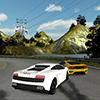 X Speed Race Game X Speed Race Game  Plays: 6650 Category: Driving Drive the super fast cars to see if you can beat the other ones and become the best driver out there. |  Hey, Zet! Game Hey, Zet! GamePlays: 6638 Category: Driving Navigate the symbolic flying ship at the radiolocator screen. You should avoid enemy airplanes and not cross radiolocation zone. * 5 levels * 3 speeds in each level * personal best record * sound, records, user name saves * rock music * game speed doesn’t depend on computer performance | |||
 Just Shut Up & Drive Game Just Shut Up & Drive GamePlays: 6634 Category: Action Drive as fast as you can and beat your rivals in this unique Outrun like 3d racing game! Finish the race before your time runs out in 10 different tracks! Gain extra points by overtaking other cars from a close distance or keeping a hi-speed for a long time! |  Reaction Timer Game Reaction Timer GamePlays: 6630 Category: Education Test your reaction speed against the world! | |||
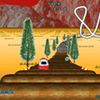 Coaster Cars: Tornado track Game Coaster Cars: Tornado track GamePlays: 6606 Category: Action Fast 3D racing game on roller coaster. |  Smileys Invasion 3 Speed of Light Game Smileys Invasion 3 Speed of Light GamePlays: 6602 Category: Puzzles Smileys Invasion goes Speed of Light now. Everything will move very very very fast! | |||
 B-Speed Typer Game B-Speed Typer GamePlays: 6602 Category: Puzzles Test out your typing skills against ever increasing numbers of words, the faster that you type the quicker you clear them off the screen. |  Cage Ball Game Cage Ball GamePlays: 6598 Category: Sports ball bouncing off walls try to hit it back with bar | |||
 Attractor Game Attractor GamePlays: 6596 Category: Puzzles Guide the balls to their home-holes using the invisible forces of attractors and repellers. Use the mouse to activate the Attractors and play your way through the 27 levels mastering the forces in space. This game has special accessibility options for handicaped people including: One button mode, changing game speed, microphone control, ... |  H&H Speed Game H&H Speed GamePlays: 6590 Category: Customize Racing part game | |||
 Finger Frenzy World Game Finger Frenzy World GamePlays: 6580 Category: Action How fast can YOU type the alphabet? | 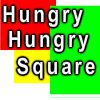 Hungry Hungry Square Game Hungry Hungry Square GamePlays: 6579 Category: Action Simple game. Use the mouse to move the white square. Collect the green squares and dodge the red squares. Flashing yellow/blue squares give extra lives and random effects ( speed change ) | |||
 ASD Piano Master Composer Game ASD Piano Master Composer GamePlays: 6576 Category: Education ESPAÑOL ABAJO ============= The ASD Piano is a device made by I2 Interactive and sold widely everywhere. Here you can have fun playing with it. It has 7 keys that correspond to the 7 notes and you can play them by pressing the corresponding keys on your Keyboard A-S-D-F-G-H-J In this game you have 3 modes to have your fun time with the ASD Piano TM. Free Mode: Here you can play as you like, pressing the keys as you wish, click the Back button to go to tittle screen. Memory: You will hear a short melody and then you have to play it again, many short melodies will pop and after succesfully playing them you can submit your score to the Hi-Score table. Composer: You can compose your own original pieces!! and share with your friends, show the world the talent you have!! In the composer screen press the "REC" button to start making your composition, play the keys that you wish and feel the best, you can play several keys at the same time and get awesome results. When you feel its finished hit the "STOP" button to finish the recording, You can adjust your piece speed altering the value given at the bottom left and also you can add a background loop to acompany it selecting from the available tunes from 1 to 6. You can hear your original piece clicking the "PLAY" button, click "STOP" to halt it at any point, with the playhead stopped you can click on any part of your pentagram, the playhead will go there, and playing any keys there will modify that part, you can click on "ERASE PART" to delete the notes on that part. If you click "ERASE ALL" the whole piece will be deleted so be careful, also clicking "Back" will delete the piece so save first. To save it you have to click the "SAVE" button and then, there is a white square at the bottom, right click on it and on the menu click "Select all" then right click again and on the menu click on "Copy" then open your Windows Notepad, go to START then ALL PROGRAMS and then ACCESORIES, then click on Notepad and there select Edit menu and Paste, then click on File and Save to save it anywhere you like. To load your piece or your friends compositions first of all select the whole composition that you have received (starts and ends with a number), then right click on it and select Copy, then in the ASD Piano, once in the Composer mode right click on the white square at the bottom and select Paste then click on the "LOAD" button and now you can click on "PLAY" to listen to it, or you can edit that to add your own modifications. You can also click on the premade songs to load them, doing that will load the entire song so be sure to save your work first, see what our talented team has made and learn from there. ESPAÑOL ======= El ASD Piano es un dispositivo creado por I2 Interactive y vendido ampliamente por todo el mundo. Aqui puedes divertirte jugando con el. Tiene 7 teclas que se corresponden con las 7 notas y puedes tocarlas presionando la tecla correspondiente en tu teclado A-S-D-F-G-H-J En este juego tiene 3 modos para pasar un buen rato con el ASD Piano TM. Free Mode: Aqui puedes jugar como quieras, presionando las teclas como desees. Haz click en el boton Back para regresar a la pantalla de titulo. Memory: Oiras una corta melodia y despues deberas tocarla de nuevo, muchas cortas melodias iran apareciendo y una vez que las toques correctamente puedes enviar tus puntos a la tabla de Hi-Score Composer: Puedes componer tus propias piezas originales!! y compartirlas con tus amigos, muestra al mundo el talento que tienes!! En la pantalla del Composer presiona el boton "REC" para empezar a crear tu composicion, toca las teclas como prefieras y sientas de la mejor manera, puedes tocar varias notas a la vez y conseguir increibles resultados. Cuando sientas que esta terminada dale al boton de "STOP" para detener la grabacion. Puedes ajustar la velocidad de la pieza variando el valor dado abajo a la izquierda y tambien puedes añadir una musica de fondo como acompañamiento seleccionandola de la lista de Tunes disponibles de 1 a 6. Puedes tu pieza original dandole a "PLAY", haz click en "STOP" para detenerla en cualquier punto, con la cabeza lectora (flecha verde) parada puedes hacer click en cualquier parte del pentagrama, la cabeza lectora ira alli, tocando cualquier nota ahi modificara esa parte, puedes hacer click en "ERASE PART" para borrar solo esa parte. Si haces click en "ERASE ALL" se borrara toda la composicion asi que ten cuidado, tambien haciendo click en "Back" se borrara toda la composicion asi que salva antes de salir. Para salvar tu composicion debes hacer click en "SAVE" y luego, en un cuadro blanco situado abajo, haz click con el boton derecho del raton, y en el menu que sale haz click en "Seleccionar todo" luego haz click de nuevo con el boton derecho y selecciona "Copiar" ahora abre tu Bloc de Notas de Windows, ve a "Inicio", luego en "Todos los programas" y despues en "Accesorios", luego haz click en "Bloc de Notas", una vez que se abra, en el menu "Edicion" selecciona "Pegar", luego haz click en "Archivo" y "Guardar" para guardarlo donde quieras. Para cargar tu pieza o la de tus amigos primero de todo selecciona toda la composicion que tu has recivido (comienza y termina con un numero), luego haz click con el boton derecho en ella y elige "Copiar", luego en el ASD Piano, una vez que estes en el modo Composer, haz click con el boton derecho en el cuadro blanco de abajo y elige "Pegar" luego haz click en el boton "LOAD" y ya puedes hacer click en "PLAY" para escucharla o puedes editarla para añadir tus modificaciones. Puedes tambien hacer click en las canciones prefabricadas "Premade" para cargar una de las 5 melodias disponibles, haciendo esto cargara la cancion entera asi que asegurate de salvar tu composicion antes, mira lo que nuestro talentoso equipo ha hecho y aprende a la vez. | 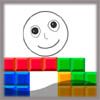 Craze Tetris Game Craze Tetris GamePlays: 6546 Category: Puzzles a tetris game is different with classic tetris.contorl your role exploit chunks to evade flooding. total 36 levels,every level have different chunk types,flood raise speed,chunk container height or chunk fall down speed. each pass a level get score = surplus times + 300 | |||
 Hammer Throw Game Hammer Throw GamePlays: 6539 Category: Sports Throw hammer as far as you can. Spin hammer thrower with correct technique and build speed and then release hammer. But dont throw it into the cage. You will have to play it a number of times to master the hammer throwing technique. |  MapleStory Kill Panda Game MapleStory Kill Panda GamePlays: 6533 Category: Action MapleStory Kill Panda Try to kill The Panda Control: 01.WSAD/Move 02.Shift/Speed Up 03.Space/Use Item 04.Mouse Click/Attack | |||
 Power Vacuum Game Power Vacuum GamePlays: 6514 Category: Action Lead the lost electrons to the their atom in this fast paced action game. You only have 60 seconds total to collect all 100 missing electrons from the different levels. |  Jumper 2 Game Jumper 2 GamePlays: 6504 Category: Action Like the original Jumper, this one is a game about jumping, but not as simple anymore. Jump on moving boards, collect powerups and jump over the bonus increaser to increase your scores per jump. | |||
 NFL Typing 2 Game NFL Typing 2 GamePlays: 6488 Category: Education this is 2 lifes version. Increase your typing speed with this entertaining game. The object of the game is to eventually get the ball through the goal posts and advance to the next level by keeping the ball afloat. Each correctly typed word kicks the ball, keeping it in play. If the ball falls below the word you are typing you start all over. You get five lives to get as far as you can. As the levels increase so do the number of players keeping your ball from the goal posts. more funny games on http://timeandgame.com |  Cave Assault Game Cave Assault GamePlays: 6453 Category: Action use your mouse to control the missile. | |||
<<< Previous First 11 12 13 14 15 16 17 18 19 20 21 Last Next >>>

|