





| Online Area Games | ||||
|---|---|---|---|---|
 Pumpkin's New Car Game Pumpkin's New Car Game  Plays: 2463 Category: Action Pumpkin has bought a new car and is going for a ride; he is worried that he might hurt a bird on the way. As there are many birds in that area. |  Mummy Hidden Objects Game Mummy Hidden Objects GamePlays: 2458 Category: BoardGame Find all hidden objects in this image, Use the mouse to search the area for it.Can you find them all? | |||
 Modern kitchen hidden alphabets Game Modern kitchen hidden alphabets GamePlays: 2449 Category: Puzzles You have 75 seconds to find all the hidden Alphabets in the kitchen. Use the mouse to search the area for it. |  Fit It Quick Game Fit It Quick GamePlays: 2448 Category: Puzzles Move and fit the colored shapes into the right spot to cover the white area. This relaxing brain teaser has 30 challenging levels to complete! | |||
 Town Engineer Game Town Engineer GamePlays: 2437 Category: Strategy Town Engineer is a small strategy game. Your parents have left you this land, but unfortunately it's in pretty bad area. Using your business skill, turn this land into a beautiful and prosperous land again. Build a small house, leave for rent, save the money and build another house, this is how your land will grow successfully. Good luck and have fun! | 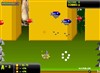 Toyz Warz Game Toyz Warz GamePlays: 2432 Category: Shooting Shoot down balons before they are pass your area | |||
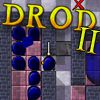 Dugan's Dungeon Lite ep.2 Game Dugan's Dungeon Lite ep.2 GamePlays: 2425 Category: Adventure After clearing first four floors of the King Dugan's dungeon, Beethro needs to face even greater adversaries - long, slithering serpents and the dreadful living tar. ---- Beethro Budkin, fifth-generation professional dungeon exterminator, was hired by King Dugan to clear the king's multi-level dungeon of a large monster infestation. Beethro charges by the room, and as a professional, he is contract-bound to clear all the monsters from each and every room in the dungeon to get paid. The only weapon Beethro needs to do his job is a Really Big Sword(tm), which will defeat almost any monster in a single hit. Your objective is to clear each level of King Dugan's Dungeon of monsters. This feat can be accomplished using only your Really Big Sword(tm) and your wits. Each room is a separate area that has to be cleared in a single session. Should you leave a room without completely clearing it, it will be restored to its initial state when you return. Those brave enough can compete for the best score (least number of moves) in each room against players from all over the world. If you create an account on our forums and provide the CaravelNet details in the options menu), your scores will be submitted to the leaderboards. These will last for two weeks, unless you purchase a CaravelNet subscription, in which case your scores will be kept forever. If you do not type in the details, you will be only notified what place your score would've attained (so called anonymous scores). |  Creatures of Gaia Game Creatures of Gaia GamePlays: 2423 Category: Strategy You are a Beast Master! Save the island of Gaia from a lurking evil with the help of fearless allies. Discover over 150 extraordinary creatures and train them to fight. Lead your creatures to victory in turn-based battles where good tactics are key! | |||
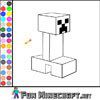 Color Creeper Game Color Creeper GamePlays: 2414 Category: Other Have some fun with this awesome coloring game from Minecraft. Choose the color from the color menu and select an area you want to color. |  Fish Spot The Difference Game Fish Spot The Difference GamePlays: 2406 Category: Puzzles Spot the 6 difference of the two very similar images, Use the mouse to search the area for it. | |||
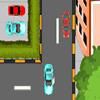 Shopping Complex Car Parking Game Shopping Complex Car Parking GamePlays: 2405 Category: Driving Mall is a busy place, can you park the car in the designated area before time runs out without hitting any objects? |  F1 Parking Game F1 Parking GamePlays: 2386 Category: Driving Drive a F1 and park it into marked parking area before the time runs out. Avoid damaging your formula to complete the job. | |||
 Gems Twist Game Gems Twist GamePlays: 2386 Category: Action Charge into the shiny cascades of precious jewels and gather as many pieces as you like! Your goal in this game is to rotate the gems so that 3 more identical pieces form a horizontal or vertical line and then be removed. When the game starts, you will be given numerous gems of various shapes and colors. Click any of the gems to rotate 4 pieces simultaneously in clockwise or counterclockwise direction, and try to connect at least 3 pieces of the same color and shape. If you would like to switch the direction of rotation, you can click the arrow buttons on the left of the screen or press Spacebar on your keyboard. After you have collected a certain amount of gems, the diamond-shaped gauge above the arrow buttons will be filled, and you can proceed to the next level. The timer at the bottom of the play area will display the remaining time, and when it reaches its end on the left, the game ends. Form more combos to receive extra bonuses and enjoy the mesmerizing collection of sparkling gems! |  Slimes Game Slimes GamePlays: 2372 Category: Action Can you destroy all the intruding aliens that are storming through the defenses? Your goal in this game is to shoot and eliminate as many enemies as you can. When the game starts, you will be given a shooter in the dark green player area at the lower part of the screen. You can move your mouse to adjust the position of the shooter in the player area, and press the mouse to shoot. Multiple diamonds will serve as obstacles on the screen, and you can shoot to destroy them according to your strategies. A slime will start to travel horizontally downward until it hits a diamond or moves to the edge of the screen, and upon doing so it will move down a row in the reverse direction. The slime is composed of 1 head and 8 body segments when it first enters the game, and you can shoot to destroy a head or a segment at a time. Note that when a segment of the slime is destroyed, a diamond will be left on the screen, while the immediately following segment of the slime will transform into a head. The slime will speed up when its length is reduced to 2 or fewer segments. A new slime will appear at the top of the screen once the previous one is completely destroyed, but the new slime will be composed of 1 head and 7 body segments, plus an extra stand-alone head. This process continues until the new slime has 9 independently moving heads. If a slime reaches the player area, it will move around in the area and new heads will be spawned until all of the slimes in the area have been destroyed. After a certain time, spiders and bats will appear as new enemies. A spider will move up and down in the player area, while a bat will fly vertically downward from the top of the screen. If you can survive at least 5 waves of slime invasion, snakes will enter the game. Moving horizontally, a snake will poison the diamonds along its path and all the poisoned pieces will be turned green. If a slime hits a poisoned diamond, it will zigzag down the screen. | |||
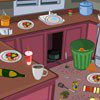 Cooking Class Clean Up Game Cooking Class Clean Up GamePlays: 2365 Category: Customize If you don't know how to cook, it's easy to make a big mess! That's why you have to know how to quickly clean up the station, and complete each meal before the time runs out, and you have to get to your next class! |  Kids Room Hidden Objects Game Kids Room Hidden Objects GamePlays: 2343 Category: Puzzles Find all hidden objects in this Kids Room, Use the mouse to search the area for it.Can you find them all? | |||
 Bricks Breaking II Game Bricks Breaking II GamePlays: 2341 Category: Action Feel the excitement and break the bricks as quickly as you can! Your goal in this game is to destroy the blocks by clicking a group of 3 or more pieces of the same color. When the game starts, multiple blocks of different colors will be placed in the play area. Click a group which has at least 3 bricks of the same color, and all of the connected bricks will be destroyed. When a column of blocks are removed, the remaining columns will merge. If you can destroy a group of 15 bricks or more, a bomb will appear and you may use it to destroy all blocks nearby. Note that a new row of blocks will appear at the bottom of the play area from time to time, and when the blocks pile up to the top, the game ends. Act fast before the blocks get in your way! |  Easter Egg Designer Game Easter Egg Designer GamePlays: 2336 Category: Customize Showcase your creativity and unleash your aesthetic sense by designing your own Easter egg with a beautiful assortment of patterns, shapes and colors! The game opens with a plain Easter egg on the left of the screen, while the available patterns are located at the top right corner, and different types of shapes are placed below the patterns. To apply a pattern, simply click the left or right arrow button next to the pattern samples. The selected sample will be enlarged and shown in the middle of the five boxes, while the pattern itself will be automatically applied to the Easter egg. You may repeat these steps to modify the pattern. To select a type of shape, click the left and right arrow buttons next to the shape samples. The available shapes of the chosen type will be displayed under the sample boxes, for example, when you have selected the snowflake, three available shapes of snowflake will appear under the sample boxes. Click to select any shape you like, then drag and paste it onto the Easter egg. You may click the shape again to adjust its size by using the scroll wheel on your mouse or the + and - keys on your numpad: scroll up or press the + key to enlarge the shape, and scroll down or press the - key to reduce the size. You may also rotate the shape by pressing the left and right arrow keys on your keyboard. If you no longer wish to apply a shape, you can click to select it, then drag and drop it to the bin on the right of the Easter egg. When you have completed the design, click the "Add some color" button at the bottom right corner to proceed to coloring. You will then be given a palette of 35 colors on the right of the Easter egg. To apply a color, simply use the paint brush to select a color, then move to the desired position on the Easter egg. The area will be circled and enlarged so that you can apply the color easily. Click to paint the color, or choose another color if you wish. You may reapply colors to a certain area, or you can click the topmost arrow button on the left of the screen to undo the previous action. If you would like to clear all colors, simply click the Reset button at the bottom of the palette. You may also click the buttons on the left of the screen to save the image, print the outline, print the image in color, or clear all colors and return to the design page. Click the Finish button at the bottom right corner when you have completed all steps, and a score will be given based on the richness of your design and the time you have spent. Come and participate in the unique celebration of Easter! | |||
 Evil Sun Game Evil Sun GamePlays: 2330 Category: Action "Evil sun" loves greenhouse gas factory because greenhouse gases allows sun to heat harder. But ecologists will try do the best to destroy factory that spoiling air. Sun have 4 kinds of weapons to protect spoiling air: Sun ray - basic weapon Fireball - wide lethal area ground weapon Shotgun - sun can shot with rays like a shotgun Apocalypse - large explosion that hardly damaging all untis on the stage. Earn money by killing ecologists to upgrade weapons. Infinitie and fun gameplay. 6 different types of enemies | 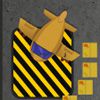 Airport Service Parking Game Airport Service Parking GamePlays: 2328 Category: Action Airport Service Parking is a cool parking game where you have to park airplanes. Your airplane has been damaged by a severe storm and your mission is to park the damaged airplane to the airport service area to get it fixed. Play 12 levels full of dangerous obstacles and tight turns. Can you park all the airplanes and save the day? | |||
<<< Previous First 12 13 14 15 16 17 18 19 20 21 22 Last Next >>>

|