







| Online keyboard Games | ||||
|---|---|---|---|---|
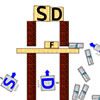 Alphabet Shoot Game Alphabet Shoot Game  Plays: 4169 Category: Shooting An amazing physics-based puzzle game. Using the A, S, D, and F keys on your keyboard fire the alphabet letters to the matching letters. Use your mouse to aim wisely because you only have a few shots for each level. |  Glofer Game Glofer GamePlays: 4159 Category: Action Type the right letter to protect your nest. Press space to create extra glofers | |||
 Quick Draw: Keys Game Quick Draw: Keys GamePlays: 4125 Category: Action Test your keyboard skill as you press the keys that flash on screen! Play casual or regular mode. Leader-boards available so you can try your best to be the best! Get a higher score to advance levels and get more lives! Different types of levels allow, starting with Arrow Keys, going into WASD, and then more! |  Monster jack Game Monster jack GamePlays: 4096 Category: Driving drive over the hills. Be very careful and you can win every stage your extreme driving skils can help you. Collect the points to increase your score. | |||
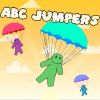 ABC jumpers Game ABC jumpers GamePlays: 4089 Category: Education Falling manikins must not be broken up! You must help them to use a parachute by pressing the correct letter on your keyboard. |  Sponge Bob Typing Game Sponge Bob Typing GamePlays: 4078 Category: Other Test your ability to write on this SpongeBob Typing Game. Type the correct letter and go to the next level. Watch out the letters will fall faster. | |||
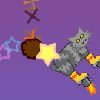 Rocketcat Game Rocketcat GamePlays: 4050 Category: Other It's a quick, arcade-style game where you control a cat with rocket-powered boots. Time your use of the left and right boots to move and steer around the sky, collecting stars and avoiding comets. |  Squirrel Adventures Game Squirrel Adventures GamePlays: 4000 Category: Adventure You can play with keyboard Z,X,Space Bar and Arrow keys | |||
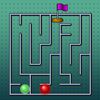 A Maze Race Game A Maze Race GamePlays: 3984 Category: Puzzles Join the Maze Race and beat the computer to display your precise judgment and control! In this game, your goal is to reach the exit of the maze before the computer does. You will be represented by a green ball in the competition, while the computer will control a ball in red color. Use the four arrow keys on your keyboard to move the green ball, and reach the destination marked by a flag before the computer does so. Since both balls will be of equal distance from the flag, you need to take the shortest route in order to win. As you advance in the game, the computer's red ball will move at a faster pace, therefore you need to hurry or the game will end. Run for the glory and the trophy! | 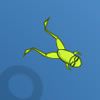 Crazy frog 4 Game Crazy frog 4 GamePlays: 3981 Category: Action Help the frog to eat as many larva as possible. To do this press required keys on the keyboard. | |||
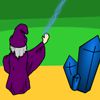 Wizard Typing Game Wizard Typing GamePlays: 3979 Category: Education Use the keyboard to type the letters on the falling rocks after the volcano's eruption. Don't let the rocks destroy the 4 Crystals you are protecting! | 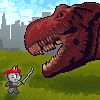 Ninja Cat and Zombie Dinosaurs Game Ninja Cat and Zombie Dinosaurs GamePlays: 3974 Category: Action Zombie Dinosaurs have invaded Paris! Ninja Cat needs to kill them with shurikens and katana. Type or die. Original idea, lots of action, addicting gameplay and polished execution! | |||
 SpeakNowByLucifer Game SpeakNowByLucifer GamePlays: 3938 Category: BoardGame This Halloween, use your computer keyboard to communicate with an invisible demon that is right beside you... right now... |  Typix Game Typix GamePlays: 3931 Category: Action Have fun while exercising your typing skills and push yourself to the limit with the Olympic Mode! | |||
 Puppy Slacking Game Puppy Slacking GamePlays: 3927 Category: Puzzles Tim the gorgeous puppy wants to enjoy himself and cause a little mischief! Help him do lots of fun activities but be careful not to get caught by his owner! | 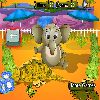 baby elephant hunt Game baby elephant hunt GamePlays: 3898 Category: Rhythm hi baddy , just feed the elephant with the proper key | |||
 Beach Rider Game Beach Rider GamePlays: 3843 Category: Driving Ride on the beach with your motorbiker over hills and as you try to stay balanced without tipping over. |  Chopper Mania Game Chopper Mania GamePlays: 3836 Category: Other Chopper Mania is a brand new kind of chopper avoid genre. In Chopper Mania your skills will be tested with high pressure gameplay, including your mouse and keyboard, used to press buttons, break walls, avoid moving parts and mostly, beware of your limits. So... can you handle it? | |||
 ASD Piano Maestro Compositor Game ASD Piano Maestro Compositor GamePlays: 3793 Category: Education ESPAÑOL (English bellow) ======= El ASD Piano es un dispositivo creado por I2 Interactive y vendido ampliamente por todo el mundo. Aqui puedes divertirte jugando con el. Tiene 7 teclas que se corresponden con las 7 notas y puedes tocarlas presionando la tecla correspondiente en tu teclado A-S-D-F-G-H-J En este juego tiene 3 modos para pasar un buen rato con el ASD Piano TM. Free Mode: Aqui puedes jugar como quieras, presionando las teclas como desees. Haz click en el boton Back para regresar a la pantalla de titulo. Memory: Oiras una corta melodia y despues deberas tocarla de nuevo, muchas cortas melodias iran apareciendo y una vez que las toques correctamente puedes enviar tus puntos a la tabla de Hi-Score Composer: Puedes componer tus propias piezas originales!! y compartirlas con tus amigos, muestra al mundo el talento que tienes!! En la pantalla del Composer presiona el boton "REC" para empezar a crear tu composicion, toca las teclas como prefieras y sientas de la mejor manera, puedes tocar varias notas a la vez y conseguir increibles resultados. Cuando sientas que esta terminada dale al boton de "STOP" para detener la grabacion. Puedes ajustar la velocidad de la pieza variando el valor dado abajo a la izquierda y tambien puedes añadir una musica de fondo como acompañamiento seleccionandola de la lista de Tunes disponibles de 1 a 6. Puedes tu pieza original dandole a "PLAY", haz click en "STOP" para detenerla en cualquier punto, con la cabeza lectora (flecha verde) parada puedes hacer click en cualquier parte del pentagrama, la cabeza lectora ira alli, tocando cualquier nota ahi modificara esa parte, puedes hacer click en "ERASE PART" para borrar solo esa parte. Si haces click en "ERASE ALL" se borrara toda la composicion asi que ten cuidado, tambien haciendo click en "Back" se borrara toda la composicion asi que salva antes de salir. Para salvar tu composicion debes hacer click en "SAVE" y luego, en un cuadro blanco situado abajo, haz click con el boton derecho del raton, y en el menu que sale haz click en "Seleccionar todo" luego haz click de nuevo con el boton derecho y selecciona "Copiar" ahora abre tu Bloc de Notas de Windows, ve a "Inicio", luego en "Todos los programas" y despues en "Accesorios", luego haz click en "Bloc de Notas", una vez que se abra, en el menu "Edicion" selecciona "Pegar", luego haz click en "Archivo" y "Guardar" para guardarlo donde quieras. Para cargar tu pieza o la de tus amigos primero de todo selecciona toda la composicion que tu has recivido (comienza y termina con un numero), luego haz click con el boton derecho en ella y elige "Copiar", luego en el ASD Piano, una vez que estes en el modo Composer, haz click con el boton derecho en el cuadro blanco de abajo y elige "Pegar" luego haz click en el boton "LOAD" y ya puedes hacer click en "PLAY" para escucharla o puedes editarla para añadir tus modificaciones. Puedes tambien hacer click en las canciones prefabricadas "Premade" para cargar una de las 5 melodias disponibles, haciendo esto cargara la cancion entera asi que asegurate de salvar tu composicion antes, mira lo que nuestro talentoso equipo ha hecho y aprende a la vez. ENGLISH ============= The ASD Piano is a device made by I2 Interactive and sold widely everywhere. Here you can have fun playing with it. It has 7 keys that correspond to the 7 notes and you can play them by pressing the corresponding keys on your Keyboard A-S-D-F-G-H-J In this game you have 3 modes to have your fun time with the ASD Piano TM. Free Mode: Here you can play as you like, pressing the keys as you wish, click the Back button to go to tittle screen. Memory: You will hear a short melody and then you have to play it again, many short melodies will pop and after succesfully playing them you can submit your score to the Hi-Score table. Composer: You can compose your own original pieces!! and share with your friends, show the world the talent you have!! In the composer screen press the "REC" button to start making your composition, play the keys that you wish and feel the best, you can play several keys at the same time and get awesome results. When you feel its finished hit the "STOP" button to finish the recording, You can adjust your piece speed altering the value given at the bottom left and also you can add a background loop to acompany it selecting from the available tunes from 1 to 6. You can hear your original piece clicking the "PLAY" button, click "STOP" to halt it at any point, with the playhead stopped you can click on any part of your pentagram, the playhead will go there, and playing any keys there will modify that part, you can click on "ERASE PART" to delete the notes on that part. If you click "ERASE ALL" the whole piece will be deleted so be careful, also clicking "Back" will delete the piece so save first. To save it you have to click the "SAVE" button and then, there is a white square at the bottom, right click on it and on the menu click "Select all" then right click again and on the menu click on "Copy" then open your Windows Notepad, go to START then ALL PROGRAMS and then ACCESORIES, then click on Notepad and there select Edit menu and Paste, then click on File and Save to save it anywhere you like. To load your piece or your friends compositions first of all select the whole composition that you have received (starts and ends with a number), then right click on it and select Copy, then in the ASD Piano, once in the Composer mode right click on the white square at the bottom and select Paste then click on the "LOAD" button and now you can click on "PLAY" to listen to it, or you can edit that to add your own modifications. You can also click on the premade songs to load them, doing that will load the entire song so be sure to save your work first, see what our talented team has made and learn from there. |  Crasheroids Game Crasheroids GamePlays: 3750 Category: Action A new take on the classic game. Ram into asteroids to break them up. Avoid obstacles, and complete all 22 levels | |||
<<< Previous First 5 6 7 8 9 10 11 12 13 14 15 Last Next >>>

|