




| Online bottom Games | ||||
|---|---|---|---|---|
 Gems Twist Game Gems Twist Game  Plays: 2451 Category: Action Charge into the shiny cascades of precious jewels and gather as many pieces as you like! Your goal in this game is to rotate the gems so that 3 more identical pieces form a horizontal or vertical line and then be removed. When the game starts, you will be given numerous gems of various shapes and colors. Click any of the gems to rotate 4 pieces simultaneously in clockwise or counterclockwise direction, and try to connect at least 3 pieces of the same color and shape. If you would like to switch the direction of rotation, you can click the arrow buttons on the left of the screen or press Spacebar on your keyboard. After you have collected a certain amount of gems, the diamond-shaped gauge above the arrow buttons will be filled, and you can proceed to the next level. The timer at the bottom of the play area will display the remaining time, and when it reaches its end on the left, the game ends. Form more combos to receive extra bonuses and enjoy the mesmerizing collection of sparkling gems! |  Cube Eater Game Cube Eater GamePlays: 2447 Category: Action Hi all! I cube eater, let's go on an adventure and a little something to eat. You have to jump on the blocks and collect the food, if you fall to the bottom of the losers. Dial as many points. | |||
 GotCrabs? Game GotCrabs? GamePlays: 2445 Category: Action GotCrabs? Well, you're gonna need'em to defeat the Jellies! A 3D version of the Classic Brick-Breaker with new characters and a Tower Defense feel. A square reservoir is infested by layers of Jellyfish which are killed and released by Goldfish. You control the Ice Block paddle to prevent the Goldfish and Jellyfish from escaping the reservoir. Goldfish evolve into very powerful Pufferfish and Vampirefish; Why Not? Crabs at the bottom help redirect the memory challenged Goldfish towards the taunting Jellyfish hordes. The Crabs are easily exhausted and must eat at the coral food plots to regain their strength. You'll need them to finish three layers of Jellies to win the game quickly and survive endurance matches. Play for FREE! Progress is saved locally as Guest or your Newgrounds userName. The GotCrabs~Skills act as a mixing board to customize your game from fast-n-furious to endurance-marathons. Read through the inGame Help Pages for details. OR, just sit back and enjoy the soothing Whale Song. |  Dipigeme Game Dipigeme GamePlays: 2433 Category: Puzzles Pop pieces and match them to clear the board off before pieces reach the bottom. Be fast and smart to get achievements, make combos, and get more scores. | |||
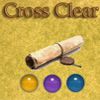 Cross Clear Game Cross Clear GamePlays: 2429 Category: Puzzles put the new ball ,>=3 same ball in left/right/up/down ,and make the box drop to the bottom and get special bonus. you can select any object and clikc bomb to clear it. | 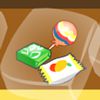 Candy Bags Game Candy Bags GamePlays: 2414 Category: Strategy Which one do you like, a lollipop, an orange-flavored gum, or a fancy chocolate heart? Collect your own candy bags now and taste them all! Your goal in this game is to collect all candies of the same kind before the computer does. 9 candy bags will be presented when the game starts, and each of the candy bags contains different kinds of candies. You and the computer will take turns to pick your share one by one. During your turn, your can click to select any of the bags. Your collection will be shown at the bottom left of the screen, while the candies picked by the computer will be displayed at the bottom right. Continue the process until all pieces of a kind are gained by a player, and the game is won. Seize the candies and do not let your opponent spoil your fun! | |||
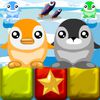 Pengublox Game Pengublox GamePlays: 2408 Category: Action Help all pengu to go to the bottom ground. | 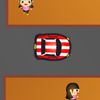 Mother's Day Rush Game Mother's Day Rush GamePlays: 2383 Category: Action It's Mother's Day morning. You are excited about the tea party dedicated to your Mum. Suddenly, you realize that the presents are not there yet! Rushing to the town, you need to get the presents on your shopping list one by one. Follow the objectives and directions indicated by the compass at the top left corner, then use the four arrow keys on your keyboard to control your car, and travel to the designated locations marked by green circles to get the presents. You need to drive as fast as possible so that you can get back home with the presents before the time runs out, but note that you still need to maintain proper driving manners and avoid driving in the reverse direction, crossing the lines or violating the traffic lights. If you do not play by the rules, your car may hit and crash. The level of destruction is indicated by the green clamp at the bottom right corner. Whenever your car is crashed, part of the clamp will turn red. If your car is totally damaged, you cannot continue driving and the game will be over. Speed up but drive safely and return home in time before Mum gets upset! | |||
 Ball Separation Game Ball Separation GamePlays: 2382 Category: Action Tame the wild bouncing balls and separate them with moving walls! In this game, your goal is to make use of the gap on a movable separator so that the balls can be divided into 2 groups by the colors of the balls as well as the colors of the play area. You will be given a play area divided into two sides by a separator in the middle, and some blue and yellow balls will be bouncing around. You can use your mouse to drag the separator so that the balls can pass through the gap and move to the other side. Continue the process until the balls are separated by the colors of the balls as well as the colors of the play area. The timer at the bottom left corner of the screen will show the remaining time, and if the balls cannot be separated before the time runs out, you lose. Be sure to act swiftly in order to proceed! |  Easter Egg Designer Game Easter Egg Designer GamePlays: 2377 Category: Customize Showcase your creativity and unleash your aesthetic sense by designing your own Easter egg with a beautiful assortment of patterns, shapes and colors! The game opens with a plain Easter egg on the left of the screen, while the available patterns are located at the top right corner, and different types of shapes are placed below the patterns. To apply a pattern, simply click the left or right arrow button next to the pattern samples. The selected sample will be enlarged and shown in the middle of the five boxes, while the pattern itself will be automatically applied to the Easter egg. You may repeat these steps to modify the pattern. To select a type of shape, click the left and right arrow buttons next to the shape samples. The available shapes of the chosen type will be displayed under the sample boxes, for example, when you have selected the snowflake, three available shapes of snowflake will appear under the sample boxes. Click to select any shape you like, then drag and paste it onto the Easter egg. You may click the shape again to adjust its size by using the scroll wheel on your mouse or the + and - keys on your numpad: scroll up or press the + key to enlarge the shape, and scroll down or press the - key to reduce the size. You may also rotate the shape by pressing the left and right arrow keys on your keyboard. If you no longer wish to apply a shape, you can click to select it, then drag and drop it to the bin on the right of the Easter egg. When you have completed the design, click the "Add some color" button at the bottom right corner to proceed to coloring. You will then be given a palette of 35 colors on the right of the Easter egg. To apply a color, simply use the paint brush to select a color, then move to the desired position on the Easter egg. The area will be circled and enlarged so that you can apply the color easily. Click to paint the color, or choose another color if you wish. You may reapply colors to a certain area, or you can click the topmost arrow button on the left of the screen to undo the previous action. If you would like to clear all colors, simply click the Reset button at the bottom of the palette. You may also click the buttons on the left of the screen to save the image, print the outline, print the image in color, or clear all colors and return to the design page. Click the Finish button at the bottom right corner when you have completed all steps, and a score will be given based on the richness of your design and the time you have spent. Come and participate in the unique celebration of Easter! | |||
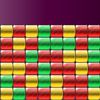 Bricks Breaking II Game Bricks Breaking II GamePlays: 2366 Category: Action Feel the excitement and break the bricks as quickly as you can! Your goal in this game is to destroy the blocks by clicking a group of 3 or more pieces of the same color. When the game starts, multiple blocks of different colors will be placed in the play area. Click a group which has at least 3 bricks of the same color, and all of the connected bricks will be destroyed. When a column of blocks are removed, the remaining columns will merge. If you can destroy a group of 15 bricks or more, a bomb will appear and you may use it to destroy all blocks nearby. Note that a new row of blocks will appear at the bottom of the play area from time to time, and when the blocks pile up to the top, the game ends. Act fast before the blocks get in your way! | 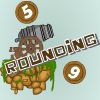 Numbers and Cannons: Rounding Game Numbers and Cannons: Rounding GamePlays: 2343 Category: Education The object of the game is to destroy all of the barrels on each level. Destroy a barrel by rounding the number in it to the nearest 10. Load the cannon with that rounded number by using your mouse to click the number button at the bottom of the screen. Use the mouse to aim and adjust the power of the shot. Left mouse click to fire cannon. | |||
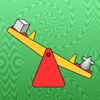 Seesaw Logic Game Seesaw Logic GamePlays: 2342 Category: Education Ride on the seesaw and become a genius of logic! Your task in this game is to select the heaviest item among a number of objects. At each level of the game you will be given a number of seesaws, and objects of different weights will be placed on the seesaws so that they incline to one side. Observe and compare the weights of the objects, then click to select the heaviest one at the bottom of the screen. The time you have spent at each level will be recorded at the top, and a score will be given based on it if your answer is correct. If you have picked a wrong answer, 1000 points will be deducted and you need to select the correct object in order to proceed. Journey through all 20 levels to claim the trophy for the smartest! |  Basic Arkanoid Game Basic Arkanoid GamePlays: 2333 Category: Action Arcade game lovers, come and enjoy the addicting remake of classic arkanoid! Your goal in this game is to use the paddle to bounce the pinball so as to hit and destroy the bricks. When the game opens, 60 pieces of bricks will divided into 6 rows. The pinball is placed on the paddle at the bottom of the play area. Simply click the pinball to start the game, then move your mouse to control the paddle. You may make use of the walls for better rebounds. Some of the bricks contain special powers, and when they are hit, those powers will come into effect. A brick marked with a pinball will give you an extra ball, but then you will need to control all of the pinballs at the same time. A brick with two arrows facing each other will narrow the paddle, while the one with two arrows in opposite directions will widen the paddle. The game ends when all of your pinballs are lost, so guide them with skills until all bricks are destroyed! | |||
 Snake Classics Game Snake Classics GamePlays: 2327 Category: Action The game of Snake is one of the most well-liked arcade classics in the world, and we have reproduced it with decent graphics, smooth control and addictive gameplay to further enhance your playing experience! Your goal in this game is to control the snake to consume the food and avoid hitting the walls, the obstacles or the snake itself. When the game starts, the snake will be moving in a horizontal direction, and you need to use the four arrow keys on your keyboard to control it, so that it can consume the food and grow. If the snake moves to the edge of the screen, it will appear from the opposite side. Starting with 5 lives, the snake will lose one life if it crashes into a wall, an obstacle or itself, and if all of the lives are gone, the game ends. Each level has a specific amount of food, as displayed at the bottom of the screen. When all of the food in the current level are consumed by the snake, you can proceed to the next level. The number of obstacles will increase as you advance in the game, therefore you must control the snake very carefully or it will be hurt! | 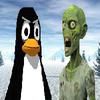 Penguins Versus Zombies Game Penguins Versus Zombies GamePlays: 2320 Category: Action Zombies Vs Penguins - Zombies are threatening Penguin land. Three Penguin heroes have decided to stand against them. Using guns, bows and arrows, and other skills, this should prove to be a fun little action game. A short, casual game, it takes around 5 minutes or so to beat. Play with mouse. :D --- How to Play --- Play with mouse. Aim and attack with mouse. If enemies reach the middle of the screen (red zone), you take damage. Avoid this by clicking on 'Evade' button The yellow zone shows where you can use close range attacks (punch, swords, etc). Long range weapons (guns, etc) can attack anywhere. Many skills are available during combat. Just select one from the ones that appear at the bottom. (Lasers, swords, healing, powers, spells, etc) | |||
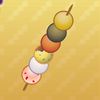 Fish Ball Strings Game Fish Ball Strings GamePlays: 2317 Category: Action Be a successful street vendor and offer your customers mouth-watering fish ball strings! In this game, your goal is to make the required fish ball strings according to the orders of the customers. When the game starts, a customer will arrive at the stall and state the order. Then multiple fish balls will descend and you need to move your mouse to catch the fish balls according to the required sequence. The amount of time you have spent will be recorded at the bottom of the screen. If you can complete the orders quickly and align the fish balls to the center of the stick, more points will be awarded. Finish all 5 levels and become the best food stall in town! |  Shuttle Bus Mayhem Game Shuttle Bus Mayhem GamePlays: 2296 Category: Driving Drive an awesome shuttle bus on the highway and try to avoid crashing into the other cars in traffic. Your goal is to get to the finish line before the time in the bottom left corner of the screen runs out. You can pick up some great power ups along the way which will help you succeed in your task. You can improve your health, get a protective shield or a speed boost. Complete all eight amazing levels and have a lot of fun! | |||
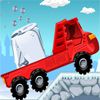 Melting Ice Game Melting Ice GamePlays: 2296 Category: Driving You goal is to transport melting ice from one place to another before it melts. check your distance to travel at the bottom bar. You have limited time otherwise you fail.Upgrade your truck for more balance and speed.Have fun drive! | 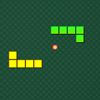 Double Snake Game Double Snake GamePlays: 2294 Category: Action One single snake may be a piece of cake for you, snake charmers - but is it still manageable when the number of snakes has doubled? In this game, your goal is to control the moving directions of the snakes, so that they can consume the food and keep growing without hitting the wall or themselves. Before the game starts, you will be given a list of options, allowing you to set the moving speed of the snakes as well as the number of snakes. You may increase the speed of the snakes by clicking the triangles at the upper part of the screen, or click the square buttons under the triangles to set the number of snakes. Then click the OK button at the bottom to confirm and start the game. You will then be given a walled square in which the snakes are moving horizontally. If you have only 1 snake, simply use the four arrow keys on your keyboard to control it. When 2 snakes are present, press W A S D to control the yellow one at the top, and use the four arrow keys to move the green snake at the bottom. Move the snakes around and consume the red balls in the area so that they can grow. Whenever a snake has consumed a red ball, it will grow longer by a square and you will receive 10 points. Then another red ball will appear in the area and you may continue the process. Your current score will be shown at the upper left corner. Remember to prevent the snakes from hitting anything, including themselves, or the game will end. Fully feed your snakes and save them from the catastrophes! | |||
<<< Previous First 13 14 15 16 17 18 19 20 21 22 23 Last Next >>>

|